Track analyzer with precision, built for DJs.
Mixlyzer scans your tracks, detects tempo and key changes, proposes CUE pairs for seamless jumps, and provides an interactive editor for fast, precise editing.
Every detail stays in sync
Static and dynamic beatgrids, key maps, and JumpCUE suggestions live on a single, clean timeline for fast auditing.
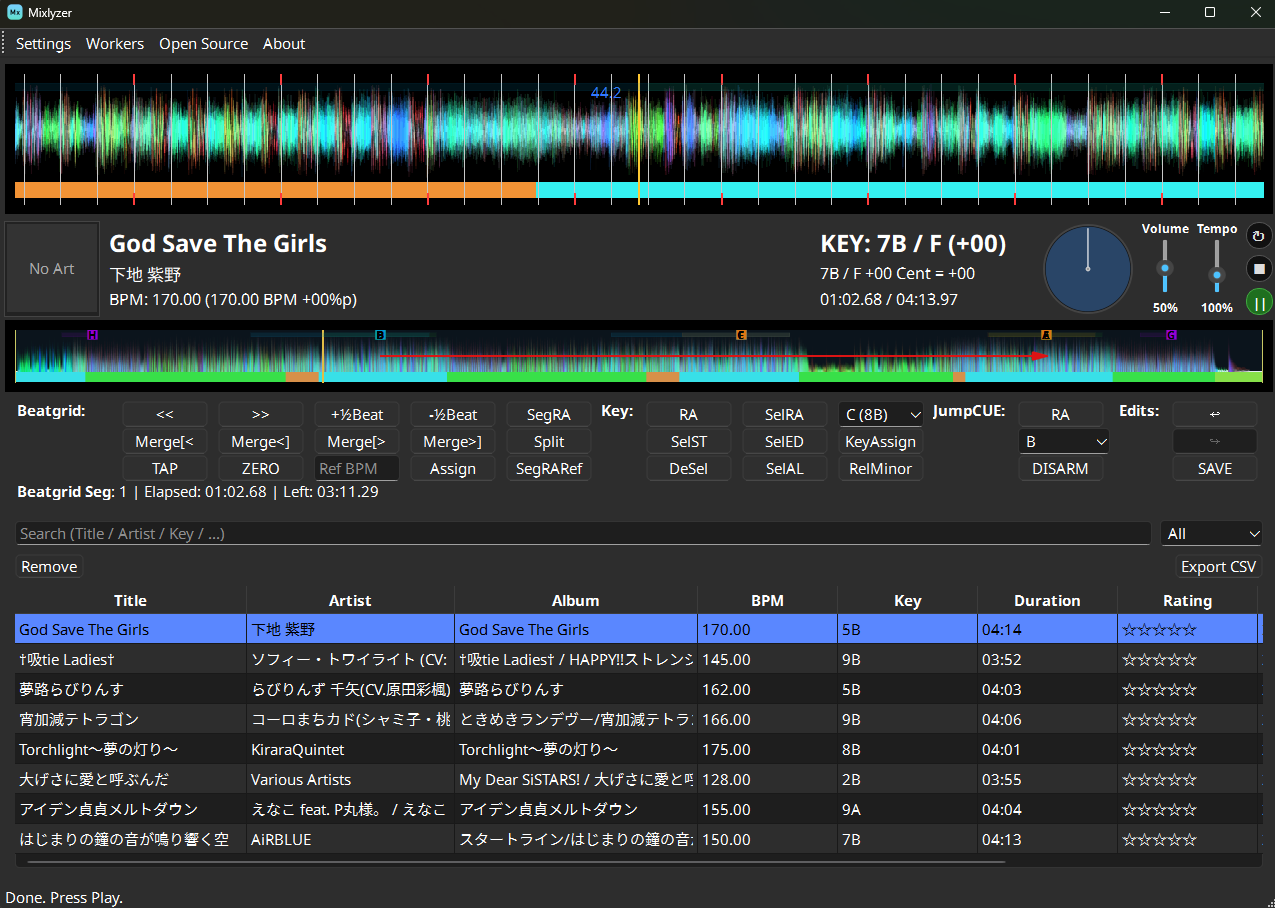
Sample Mixlyzer session with dynamic beatgrid and key map.
Features for complex tracks
For DJs and producers who need steady grids through tempo and key changes in any genre, including Anime OST, doujin, rhythm game, Vocaloid, and VTuber tracks.
Lock the global BPM fast
Detect a track's global BPM and phase to establish a reliable starting grid before you fine-tune.
For tracks with dynamic BPM
Split songs into multiple tempo segments so BPM and phase changes are mapped accurately across the track.
Trace key modulations
Track musical key changes over time, keeping harmonic mixes tight even when arrangements move.
Jump-ready cues
Discover CUE pairs for seamless forward and backward jumps.
Edit at DJ speed
The built-in interactive editor makes polishing grids quick and efficient.
Collaborate with other software
Export tempo segments and JumpCUE entries directly into your DJ software library via XML export and JumpCUE rendering.
Typical workflow
Everything you need is drag-and-drop.
Choose how you want to run Mixlyzer
Run via uv for the full development experience or grab a release build to get mixing right away.
Option A - Using uv (For developer)
- Install uv (Python 3.12+).
- Clone the repo and open the folder.
- Run uv sync to install dependencies.
- Launch with uv run python -m app.main.
Option B - Released binary (For ordinary users)
- Download the latest build.
- Extract and start the executable.
- Set your music library path, then analyze and export.